
Your Guide to a Seamless Digital Banking Transition
Our upgraded digital banking experience is launching next week!
Follow the checklist below to make sure you’re ready for a smooth first login.
Pre-Launch Checklist
Know Your Login
- You’ll use your current username and password to log in to the upgraded platform.
- Forgot Your Details? No problem. Click "Forgot Password or Username" on the login screen online or in the mobile app. You will be asked to verify your identity.
Be Ready to Update Your Password
- If your password doesn’t meet new security requirements, you’ll be prompted to create a new one. You will be asked to verify your identity.
What Happens on Launch Day
Logging In for the First Time
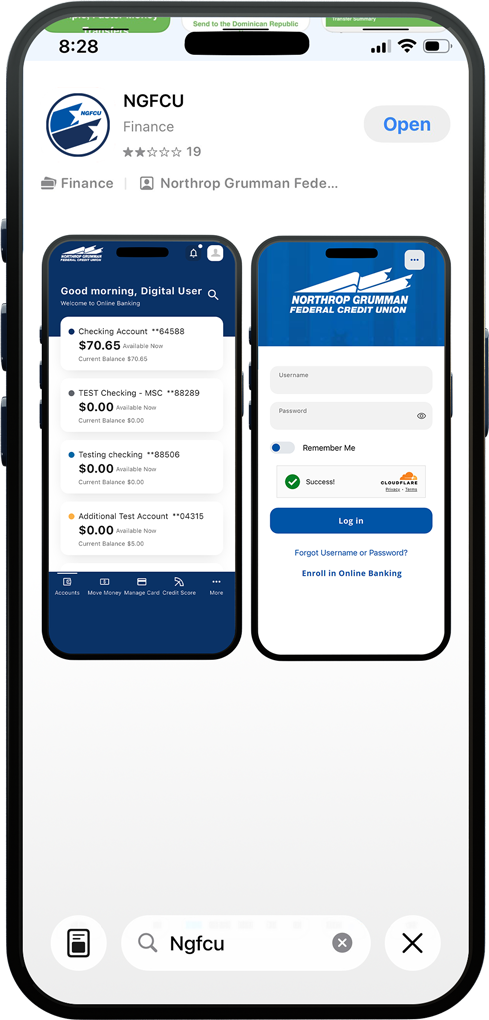
- To access your upgraded digital banking, follow the instructions below for your device:
- iOS Users: If automatic updates are enabled, the app should update automatically. If not, please update it manually in the App Store.
- Android Users: Download the new app from Google Play.
- Desktop Users: Visit ngfcu.us to log in to Online Banking.
- Enter your current username and password.
- Follow prompts to verify your information or update your password if needed.
- Start exploring your upgraded digital banking experience!
Need Help?
We’re here to make this transition easy.
Frequently Asked Questions (FAQs)
Call: 800.633.2848 (Select Option 1, then Option 1 again to reach our Digital Support Team directly.)
Email: DigitalSupport@ngfcu.us
Visit Your Local Branch